


Direct Sound Records flagship
Groove Scope Studio
A professional measurement lab for turntables, tonearms and cartridges. Watch the playback signal live, compare setup changes and document the results in one workspace.
Coming to iPad and Mac, followed by Windows.
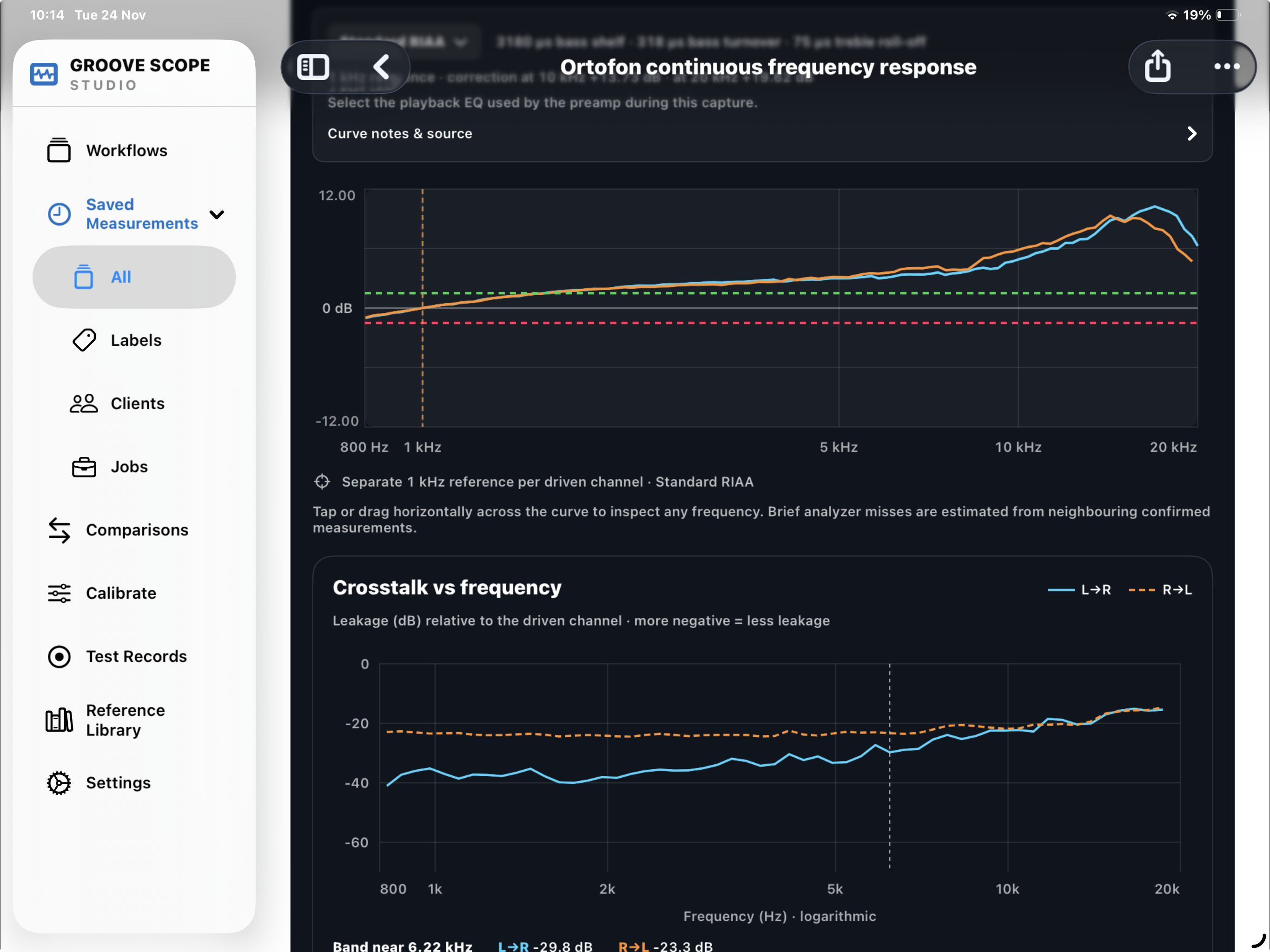
17 guided testsBuild a workflow around the measurements you need.
4 test recordsFind the matching disc, side and track.
Before and afterKeep captures, compare measurements and share PDF reports.
Live measurement
See what changes as you adjust.
Read the electrical signal as you work. Save a baseline, change one setup variable and repeat the capture under the same conditions.
Channels and speed
Check azimuth, channel separation and platter stability.
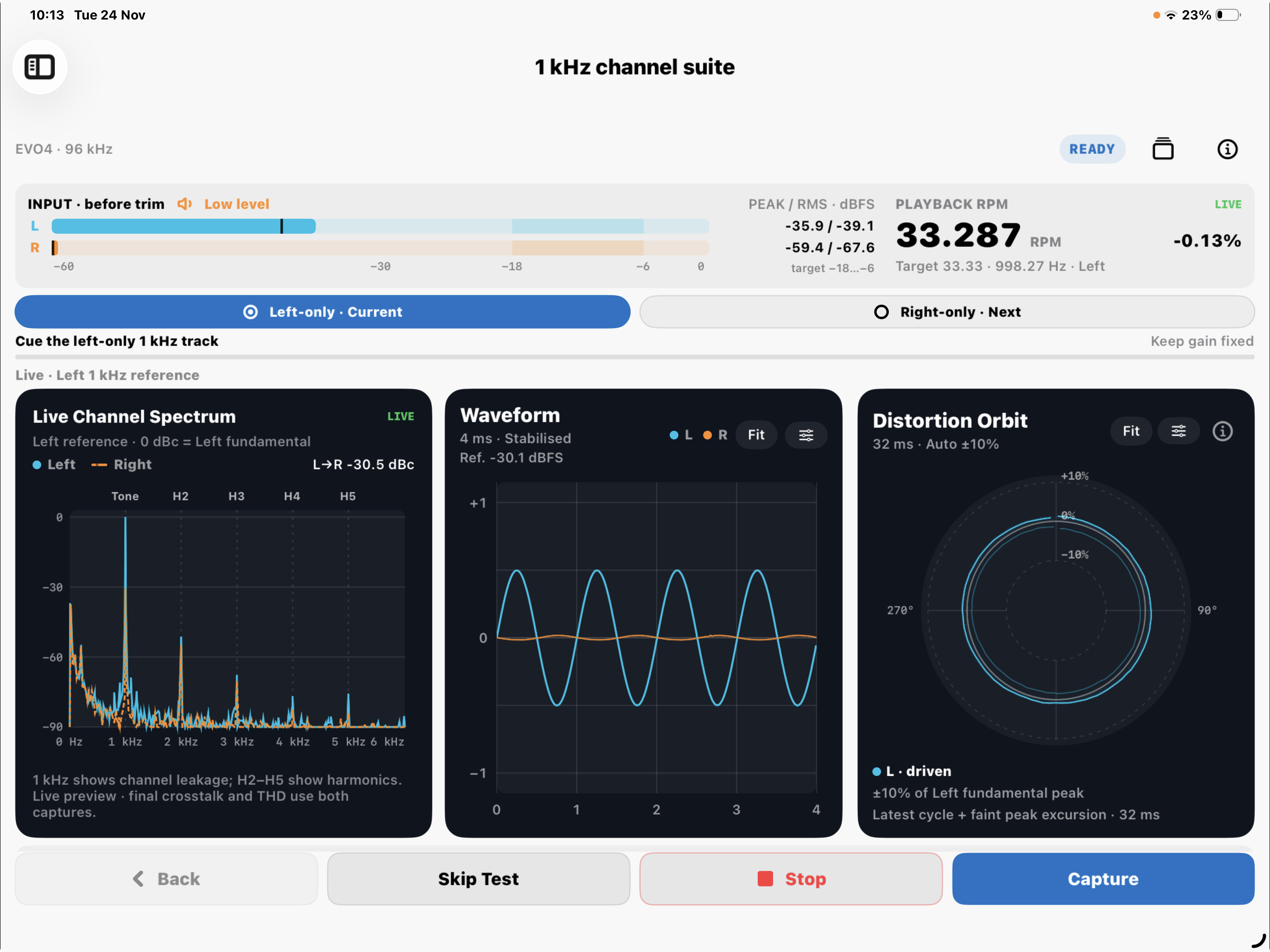
Use the left- and right-only 1 kHz tracks to measure channel level, balance, directional crosstalk and harmonic distortion. Compare channel leakage when assessing changes in cartridge azimuth.
The dedicated speed workflow measures RPM, speed error, AES6-based weighted wow and flutter, and unweighted speed variation. Use Rotation Fingerprint to see recurring patterns in speed, level, crosstalk and distortion across successive turns.
Tracking and alignment
Follow both channels through the tracking tests.
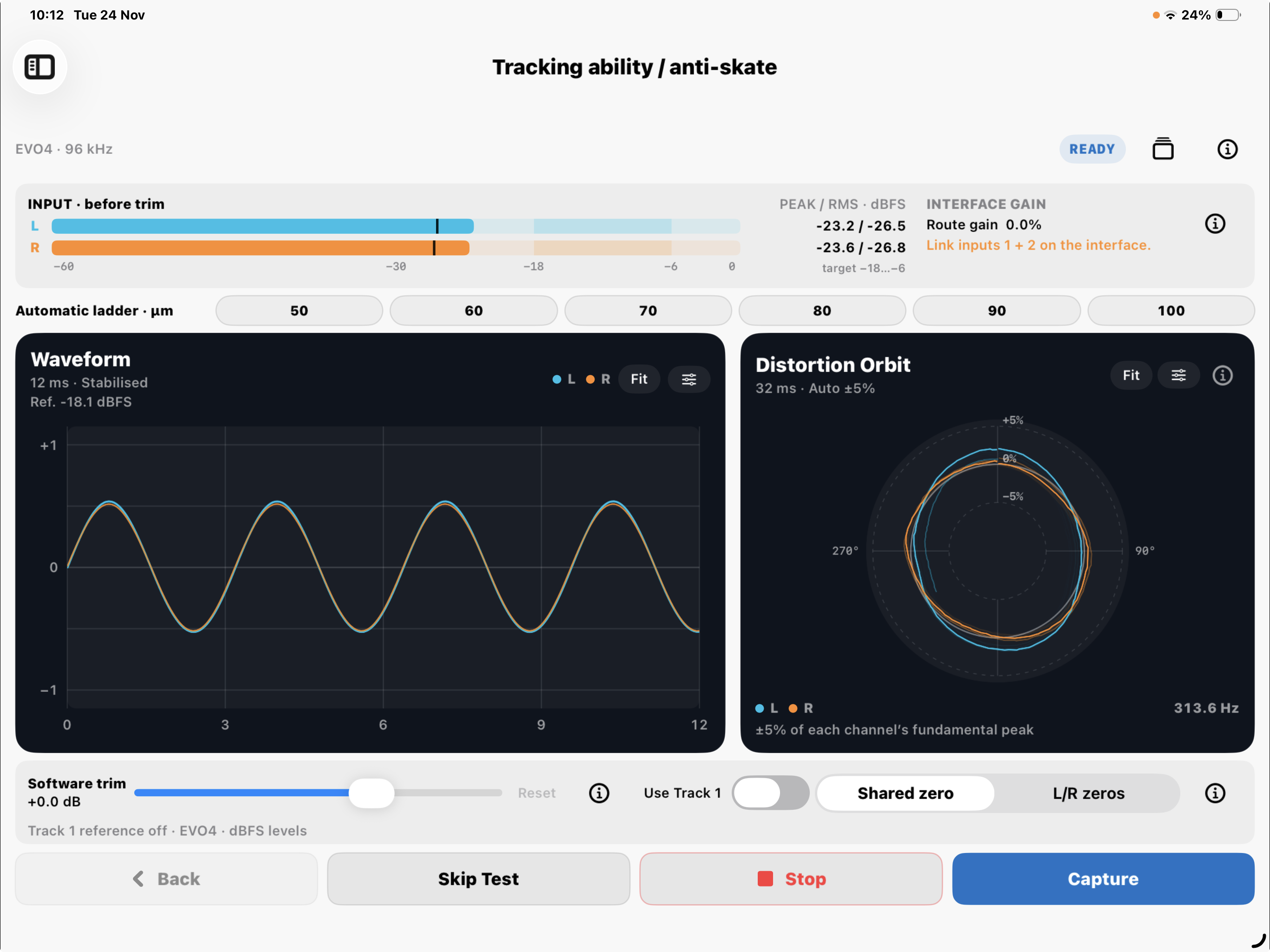
Watch the stereo waveform and Distortion Orbit through the Ortofon 50–100 µm tracking ladder. Compare the channels as groove modulation increases, then use the disc-specific anti-skate test to check the effect of an adjustment.
Compare live intermodulation distortion against a held baseline when adjusting tonearm height. Use lateral and vertical resonance tests to investigate the tonearm and cartridge combination.
The test catalogue
17 guided tests for vinyl playback.
Choose tests by measurement type or filter the workflow by the record you have on the bench.
Level & channels
- General Reference Level
- 1 kHz channel suite
- Vertical 1 kHz cancellation
Speed & noise
- Wow & flutter
- Playback noise / SNR
Tracking & setup
- Tracking ability / anti-skate
- Anti-skate (Shure TTR-117)
- Ultimate Analogue anti-skate
- VTA adjust
- Square wave
Resonance
- Arm / cartridge resonance
- Tonearm Resonance (Shure TTR-117)
- Hi-Fi News lateral resonance
- Hi-Fi News vertical resonance
- Vibration analysis
Frequency response
- Ultimate Analogue HF / LF frequency response
- Ortofon continuous frequency response
Supported test records
- Ortofon Test Record
- The Ultimate Analogue Test LP
- Shure TTR-117
- Hi-Fi News Analogue Test LP, The Producer’s Cut
Available tests depend on the record and edition. The Ultimate Analogue guide also offers a separate pink-noise capture.
The Studio workspace
From the first capture to the client report.
Keep the test sequence, saved measurements, calibration and reference material together. Retain source audio for supported captures, reanalyse compatible recordings and export branded PDF reports.
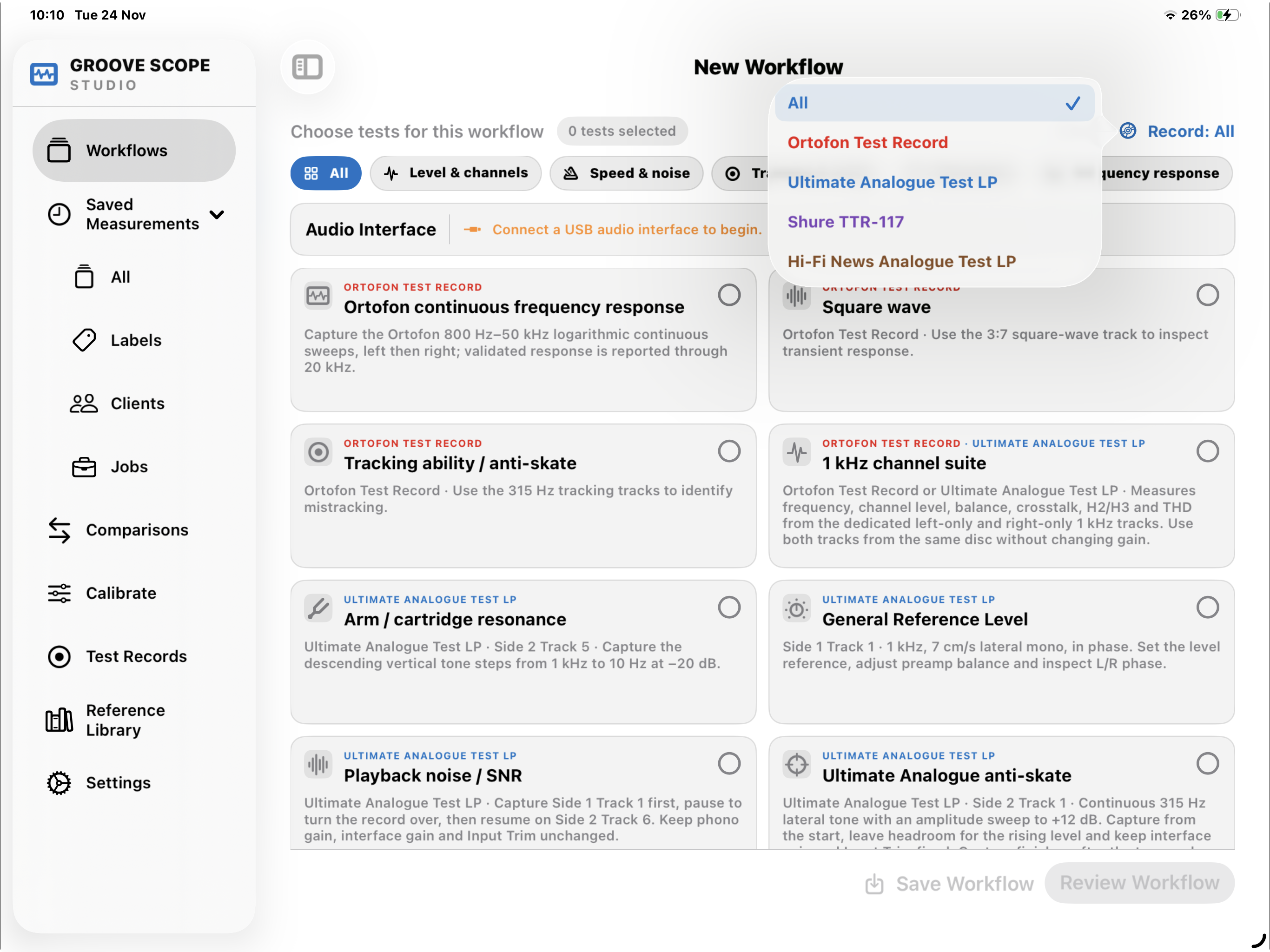
Inside the sidebar
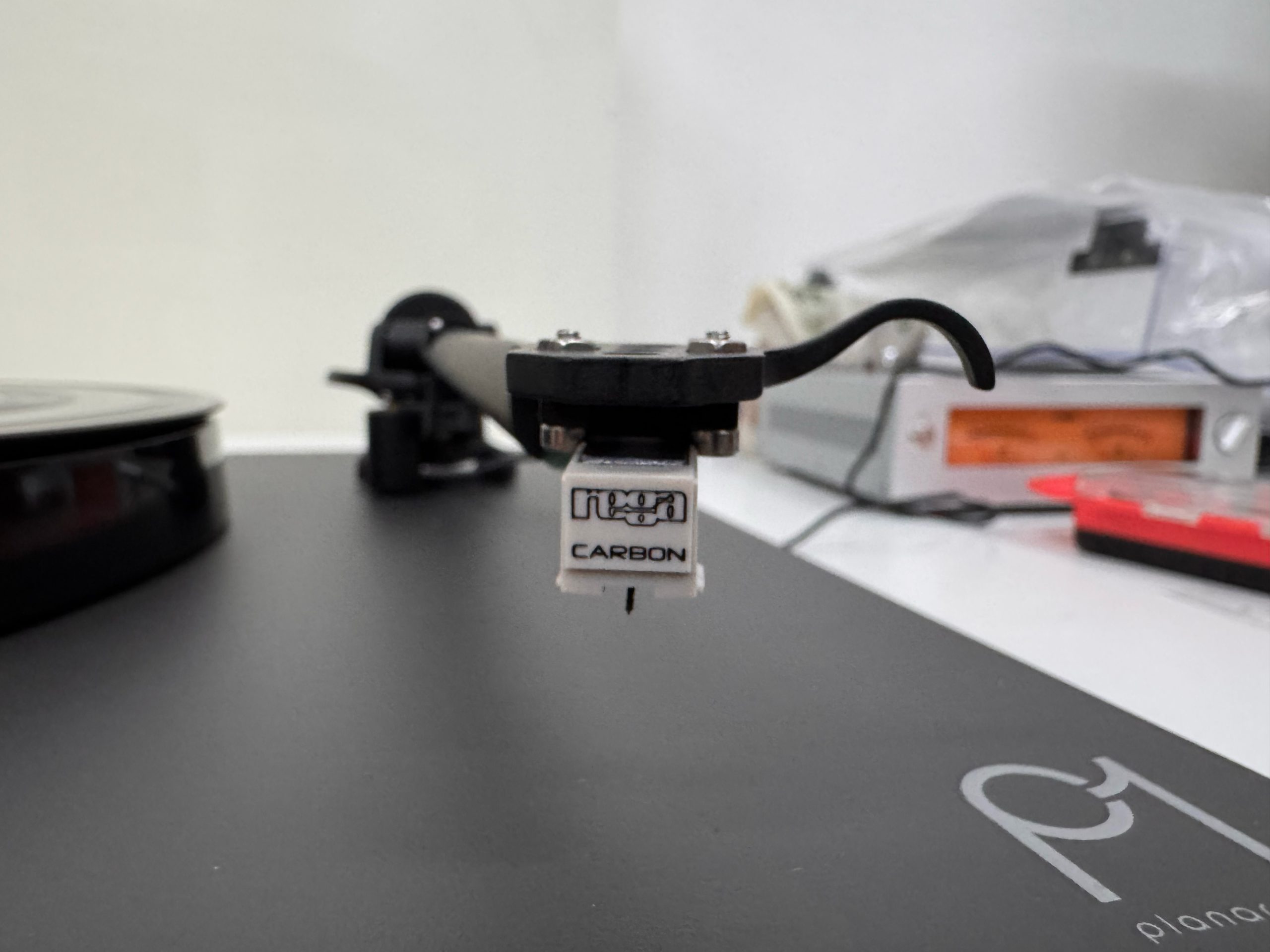
On the test bench
What changes when you adjust tracking force?
DSR measured a Rega Planar 1 with its Carbon cartridge to study how azimuth and tracking force affect playback. See how the Studio tracking test was used alongside repeat measurements and setup observations.
Measurement setup
Connect your playback chain.
Use a suitable phono stage, a compatible stereo audio interface with two simultaneous inputs, and the test record for the measurements you want to run.
- Connect. Route the stereo line output from the phono stage to the audio interface, then connect it to your iPad or Mac.
- Capture. Select a workflow, cue the specified track and check input levels. Match channel gains and leave enough headroom.
- Compare. Keep the disc and gain fixed while you repeat the measurement after a setup change. Save each capture with its setup details.
Which iPad and Mac versions are supported?
Groove Scope Studio requires iPadOS 17 or later, or macOS 14 or later. On iPad, use a compatible USB audio interface with adequate power. On Mac, use a compatible Core Audio input.
Can I measure every test with a single disc?
Each workflow uses the tracks specified for its test. Start with the supported record you have and use the Test Records guide to find compatible tests. The stationary-record vibration analysis uses an ordinary record and a separate playback source.
How do the measurements help with cartridge setup?
Use directional crosstalk, phase and balance to check the effect of an azimuth or yaw adjustment. Use the tracking and intermodulation tests to compare tracking response, anti-skate and tonearm height. Set tracking force with a separate gauge.
What can I measure in Calibrate?
Measure frequency response, distortion, harmonics and noise for the interface loopback, line-stage and phono-stage paths. Phono calibration requires a physical inverse-RIAA attenuator. Save a matching baseline for derived profiles and correction where supported.
Groove Scope Studio availability
Coming to iPad and Mac.
The App Store release is planned for December 2026 on iPad and macOS. The Windows release is planned for early 2027.