Speed
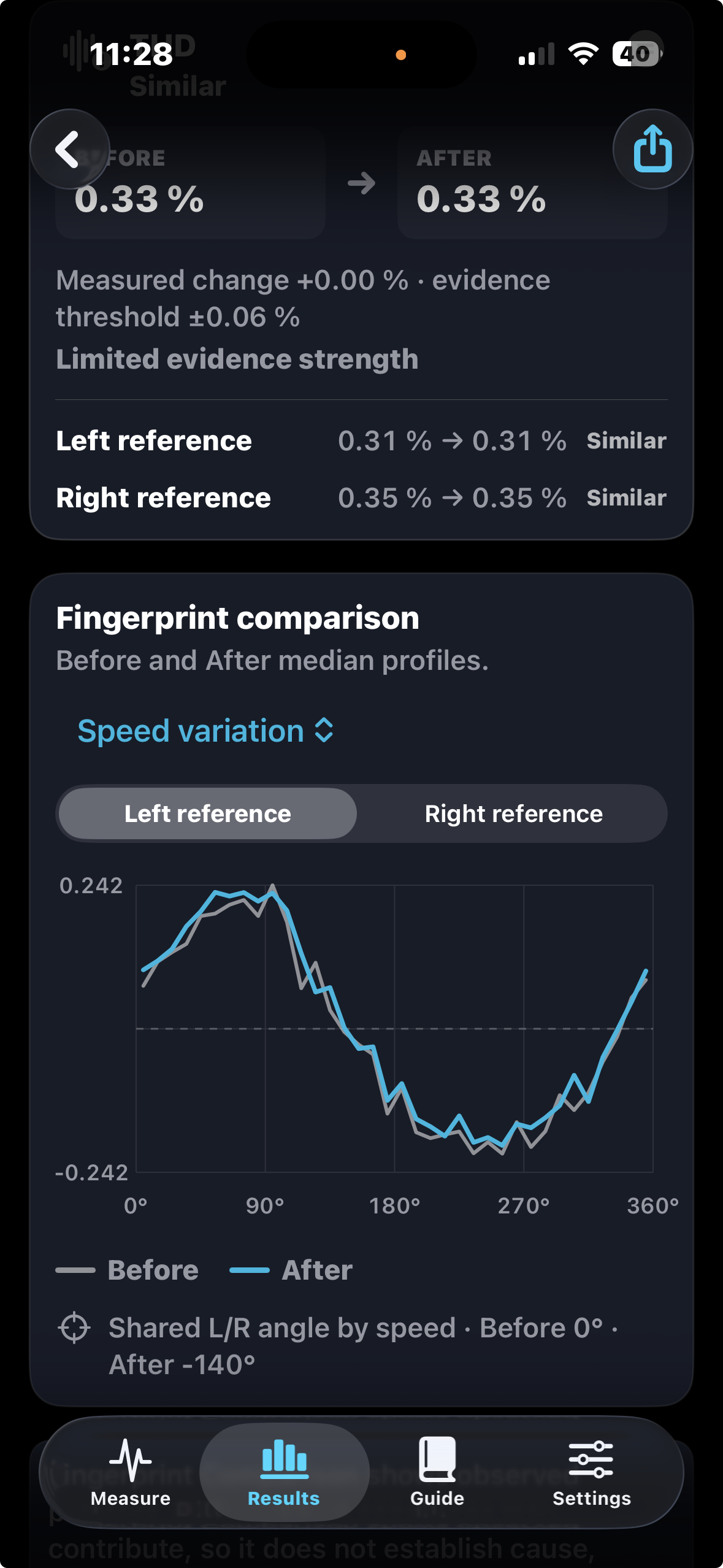
See where playback speeds up or slows down within each rotation, alongside RPM and speed-stability results.


 Direct Sound Records London-Rome
DSR / Groove Scope
For the love of vinyl. For the detail in your setup.
Meet Groove Scope: the mobile measurement companion for audiophiles who want to get more from their turntable. Explore speed, channel balance, crosstalk and distortion—then reveal the recurring patterns behind the numbers with a Rotation Fingerprint.


One purchase, complete features, no subscription.

The Groove Scope difference
Two measurements can have similar averages and different behaviour within each revolution. Groove Scope’s Rotation Fingerprint arranges consecutive rotations by relative angle, so you can inspect which features recur—and how they change between sessions.
See where playback speeds up or slows down within each rotation, alongside RPM and speed-stability results.
Inspect recurring output-level variation, with separate left and right reference views.
Explore how total harmonic distortion varies around a revolution, beyond its overall percentage.
Trace the leakage between channels across the rotation, alongside directional separation measurements.
Guided measurement
Connect your stereo USB audio interface and follow the guided left-only and right-only 1 kHz captures. Live level meters, tone analysis and playback RPM keep the measurement in view.
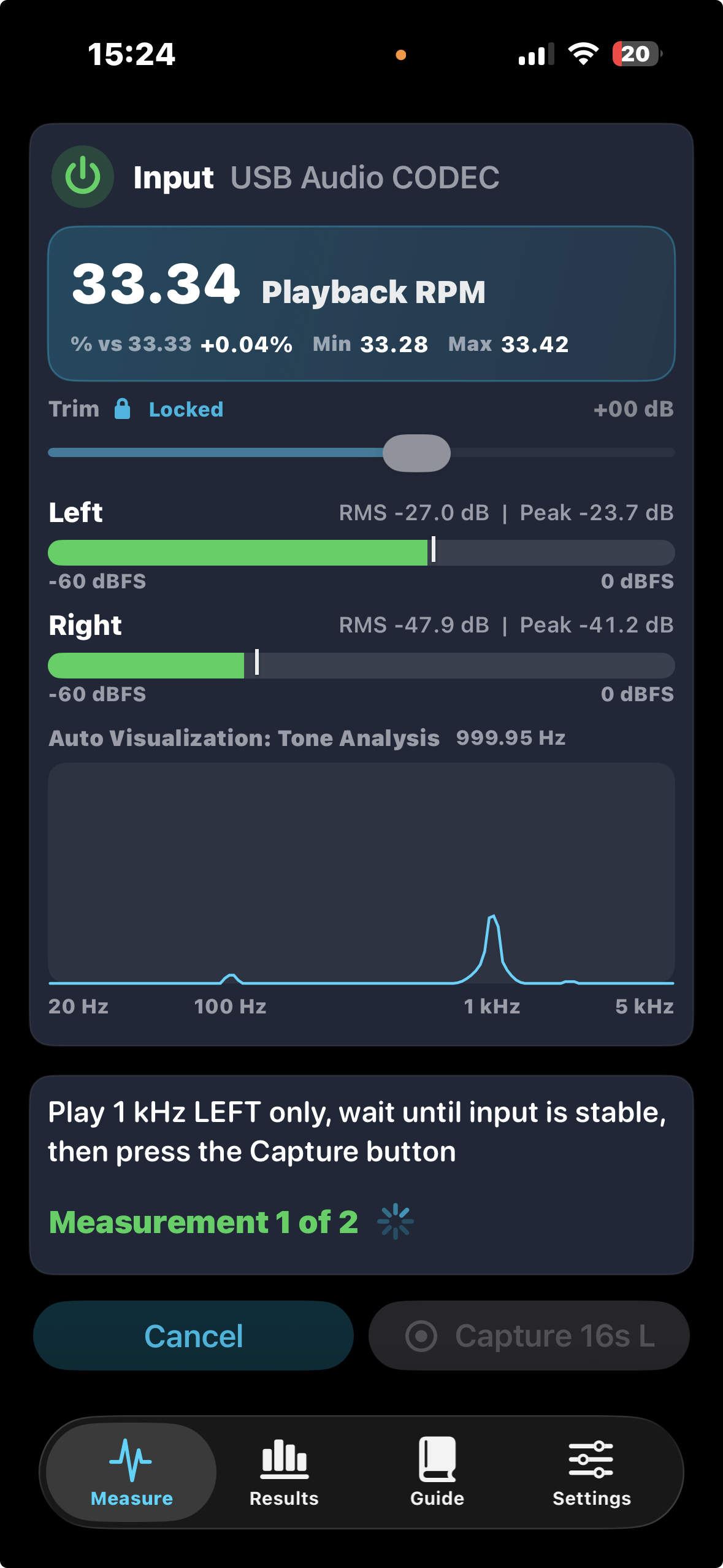
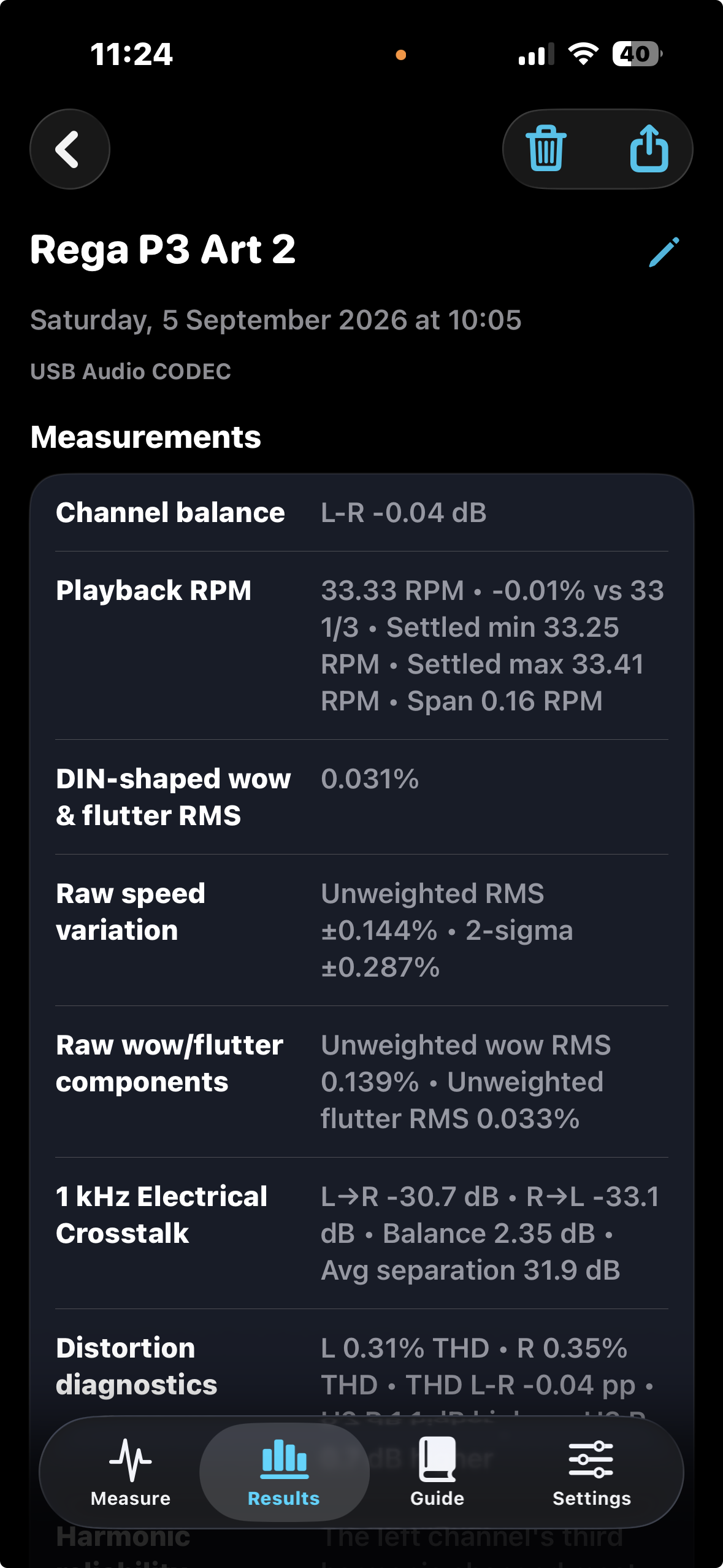
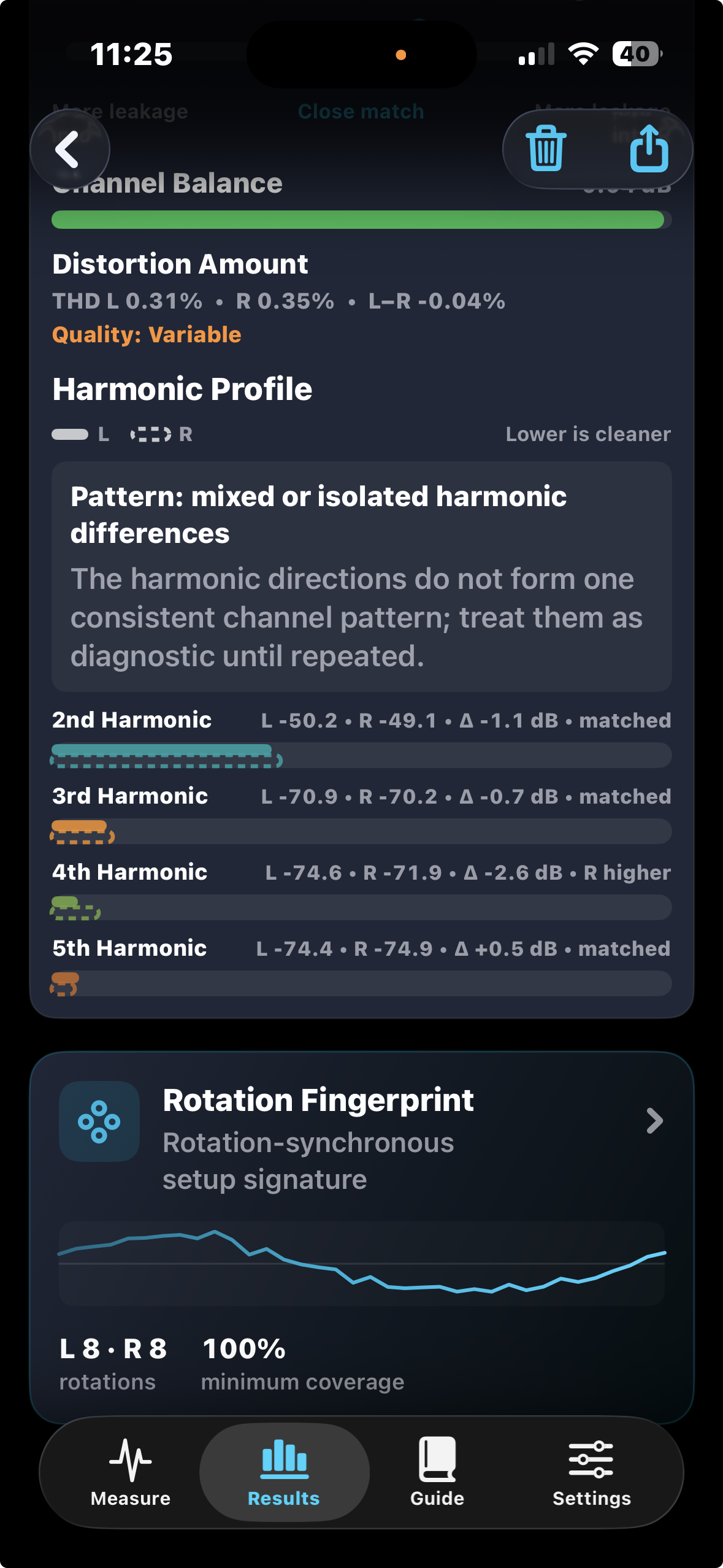
Cartridge and speed diagnostics
Review channel balance, directional crosstalk, playback RPM, speed variation and distortion together. Inspect individual harmonics to understand how the two channels behave beyond the fundamental tone.
Before and after
Save a baseline, adjust one setup variable, and measure again under comparable conditions. Overlay the rotation profiles and inspect the measured differences in the context of normal variation between rotations.
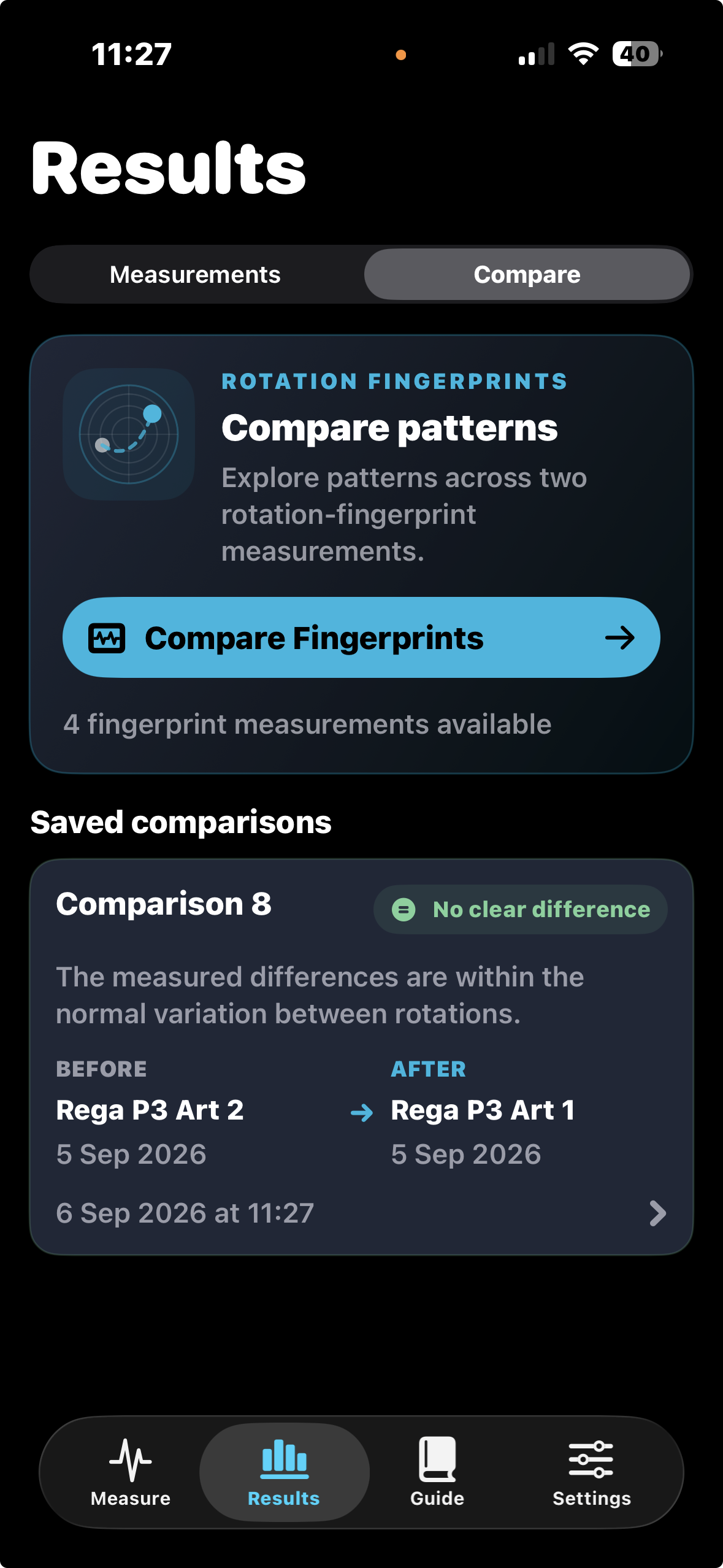
A record of your playback system
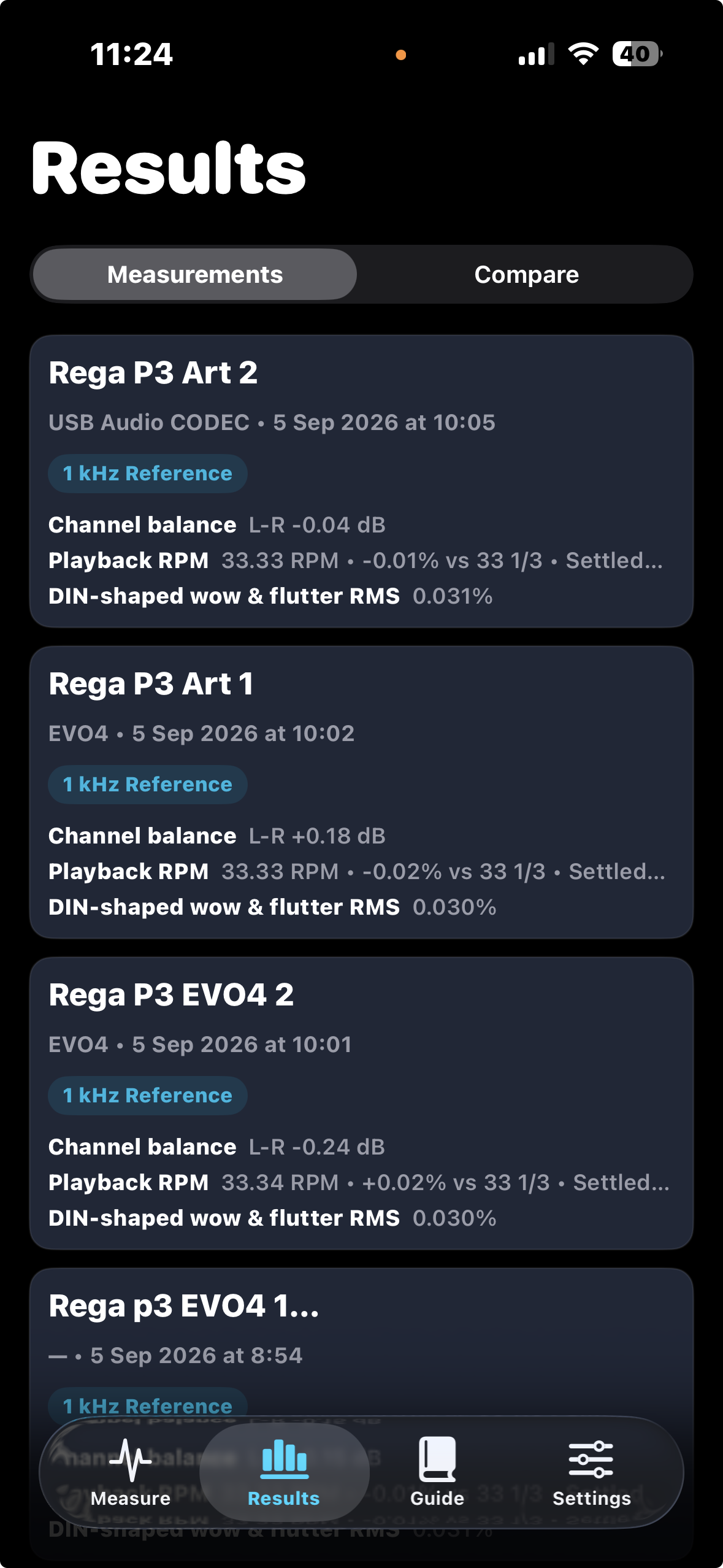
Name your measurements so a cartridge adjustment, interface check or repeat session remains easy to find. Revisit the complete result, open its fingerprint, and share a PDF report when you want another pair of eyes.
Actual Groove Scope screens. Tap any screenshot to view it full size. Example readings describe the captured setup and conditions.
An openly documented technical foundation
DSR’s Vinyl Playback Fingerprint method defines a persistent measurement record that brings objective results together with their validity, repeatability information and acquisition context. The published technical note identifies Groove Scope as its first reference implementation.
DSR Technical Journal · Technical note · Version 1.0
Michelangelo Canonico · Direct Sound Records · 3 September 2026
The published core profile combines speed accuracy, weighted wow and flutter, channel balance, stereo separation, directional crosstalk asymmetry and THD. The app’s Rotation Fingerprint adds a way to inspect recurring speed, level, leakage and THD patterns across consecutive revolutions.
The note establishes the method architecture; empirical repeatability and inter-device reproducibility validation remain ongoing. These measurements characterise the captured playback chain. They do not, on their own, establish a mechanical cause or an audible improvement.
A practical audiophile workflow
Use a test record with dedicated left-only and right-only 1 kHz reference tracks, a suitable phono stage and a compatible stereo USB audio interface connected to your compatible mobile device.
The app analyses the electrical playback signal. Keep the test record, input gain and capture conditions consistent when comparing setup changes.
Route the phono-stage line output into both interface inputs, or use an interface with a suitable phono input. The interface must expose two simultaneous input channels to your device.
Follow the left and right reference-track prompts. Check levels and save a clearly named result before adjusting your setup.
Change one variable, repeat the capture and inspect both the summary measurements and rotation patterns. Repeat variable diagnostics before making further adjustments.
One complete measurement toolkit
Groove Scope brings guided cartridge measurements, speed and distortion analysis, Rotation Fingerprints, saved measurement history, before-and-after comparisons and shareable reports together in one complete app.
Azimuth, balance, crosstalk, RPM, speed variation, THD and harmonics.
Inspect four Rotation Fingerprint layers across consecutive revolutions.
Revisit saved measurements and evaluate before-and-after changes.
Keep a measurement history and share results in PDF reports.
One purchase. Full feature set. No subscription.
Before you start
Groove Scope by Direct Sound Records
From the first channel check to a four-layer rotation fingerprint, discover more about the playback system you have put so much into.
Results depend on the test record, playback chain, interface and capture conditions. Repeat measurements under comparable conditions before drawing conclusions about a setup change.