01
Measure live
Monitor LAF, LAS, LAI, LAeq, LCpeak, time history and live frequency behaviour while the app tracks overload, clipping, paused intervals and signal-validity conditions.


 Direct Sound Records London-Rome
Professional sound measurement for iPhone
DSR SPL Reference is a professional iPhone sound-level and noise-measurement workspace built around traceable calibration, explainable Measurement Integrity, frequency analysis, occupational exposure assessment and reviewable evidence—not just a decibel number.
Free evaluation available. Professional is a one-time lifetime unlock with no subscription.
A more serious measurement workflow
SPL Reference is designed as a measurement workflow, not merely a live sound-level display. Capture, review, classify, organise and export each measurement with the hardware and calibration context that gives the result meaning.
Monitor LAF, LAS, LAI, LAeq, LCpeak, time history and live frequency behaviour while the app tracks overload, clipping, paused intervals and signal-validity conditions.
Create input-path profiles for the microphone, interface, channel, gain and sample rate, then validate the path acoustically so the app knows when the result is reference-calibrated or merely indicative.
Study the saved Overview, Time, Frequency and Statistics views; add notes, photographs and project context; inspect occupational-exposure evidence and integrity findings.
Generate a professional report package including PDF, JSON, CSV, charts, event markers and integrity manifest for transparent sharing and later review.
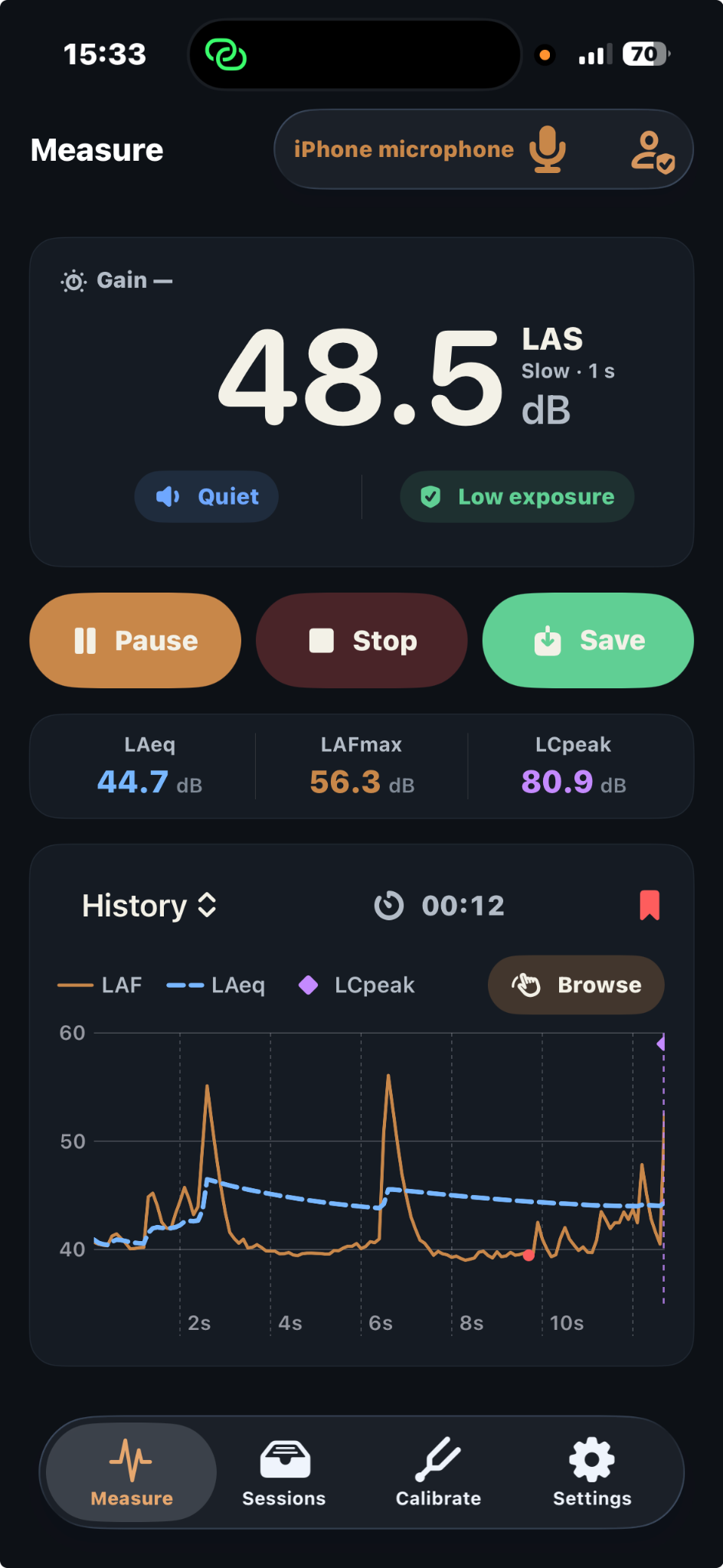
Live measurement
The opening screen is not a toy meter. It combines the primary level display, equivalent level, peak data, live time history, event marking, saved-session access and a dedicated calibration path.
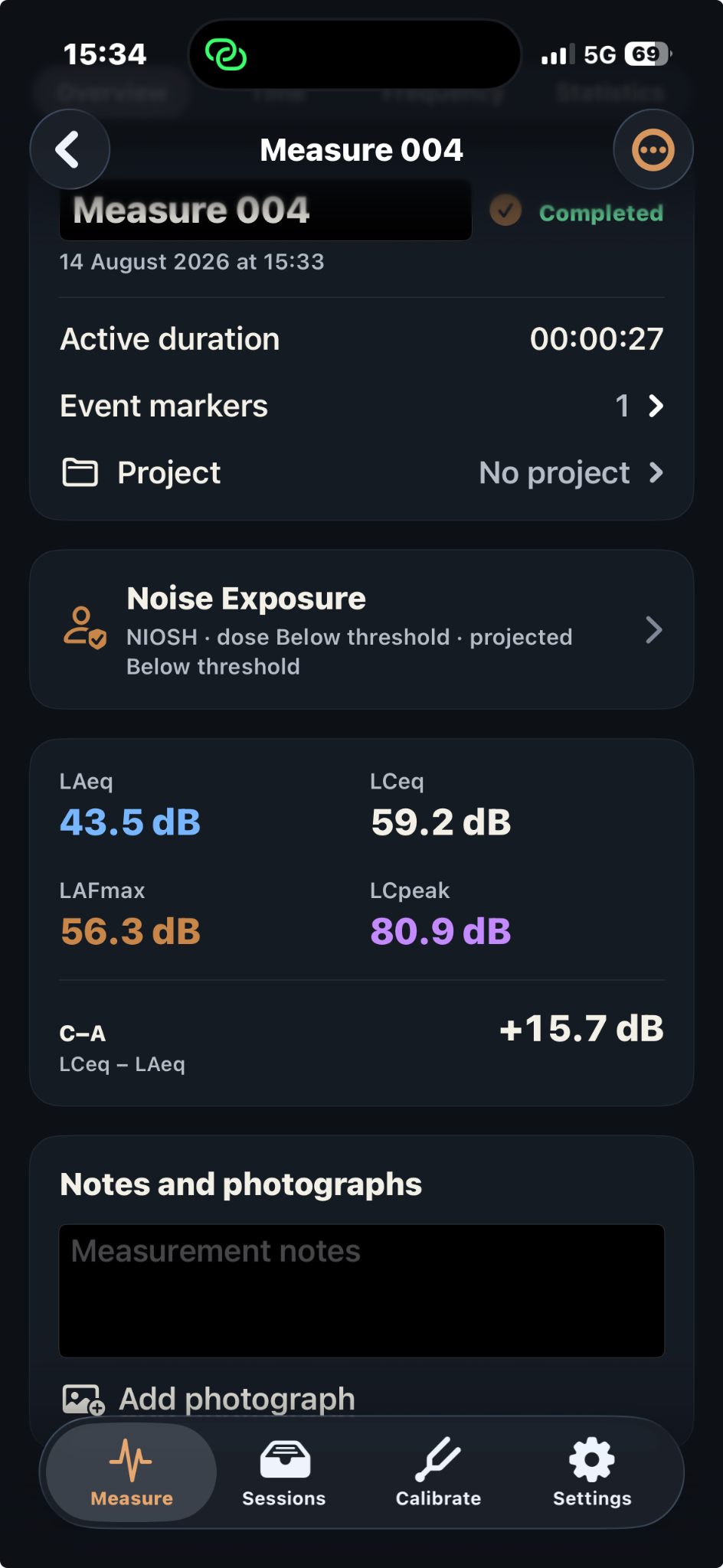
Saved measurement overview
The Overview view summarises the measurement identity, active duration, project assignment, noise-exposure status and the essential acoustical results. It is the bridge between live capture and professional reporting.
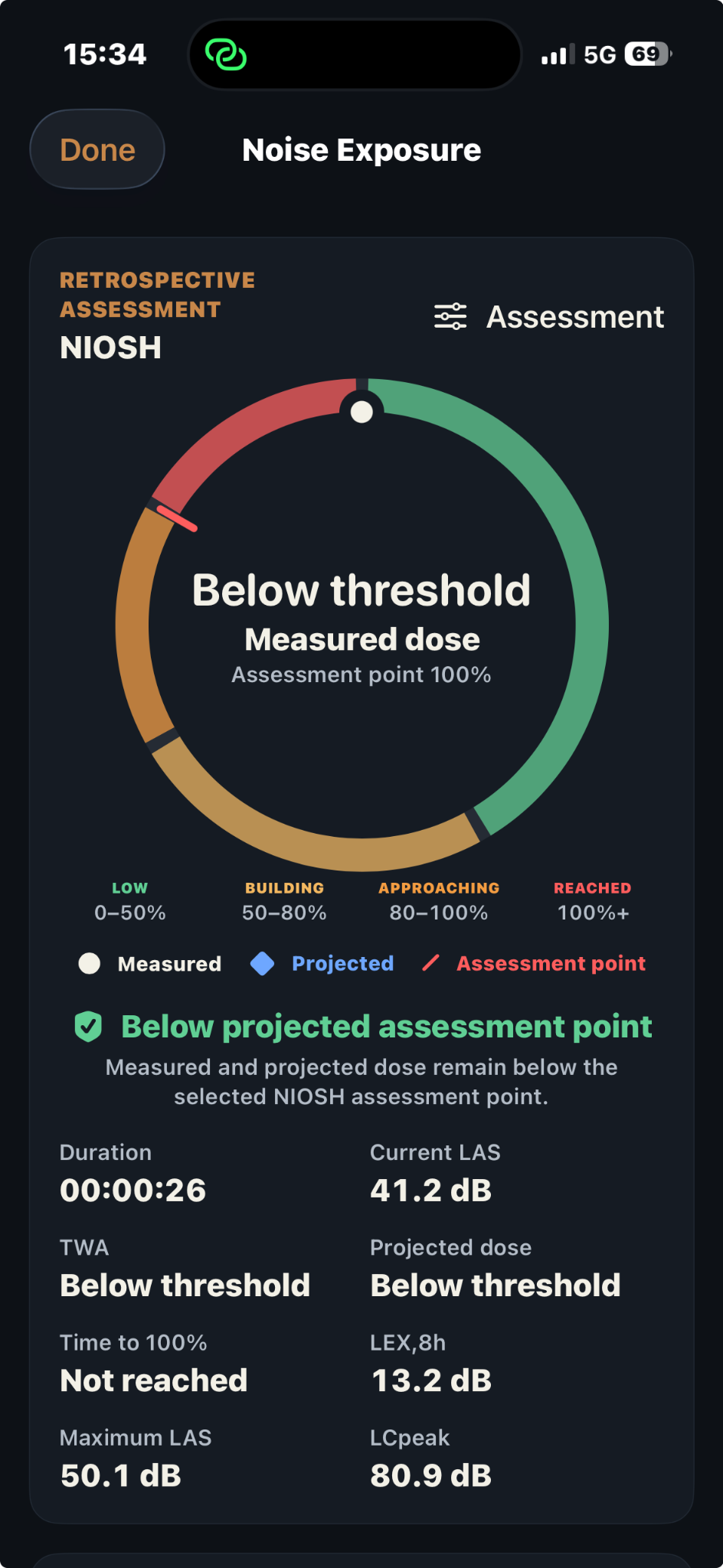
Occupational exposure
Noise-exposure evaluation has its own visual language because it answers a different question: not only “how loud is it?”, but also “what dose is accumulating?” and “what is projected across the selected assessment horizon?”
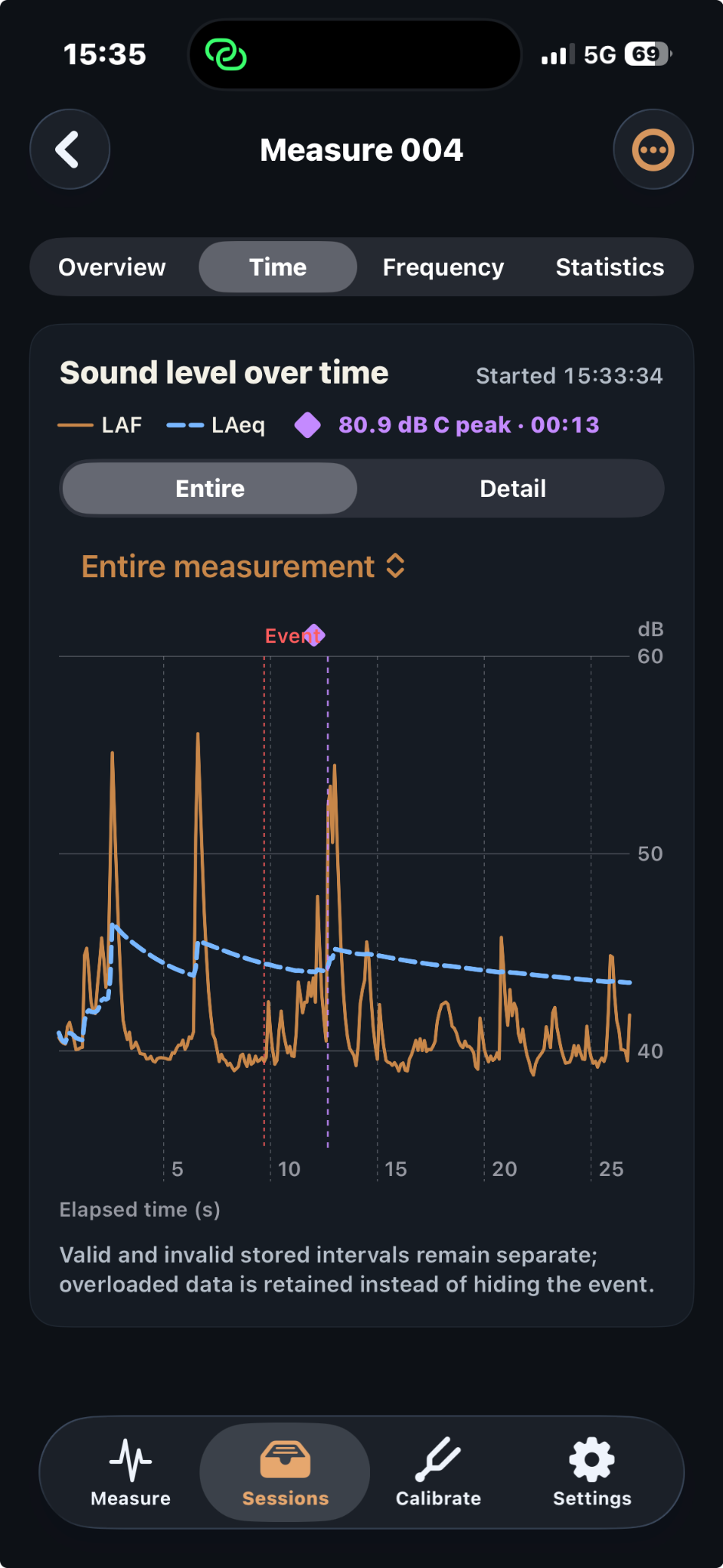
Time and frequency analysis
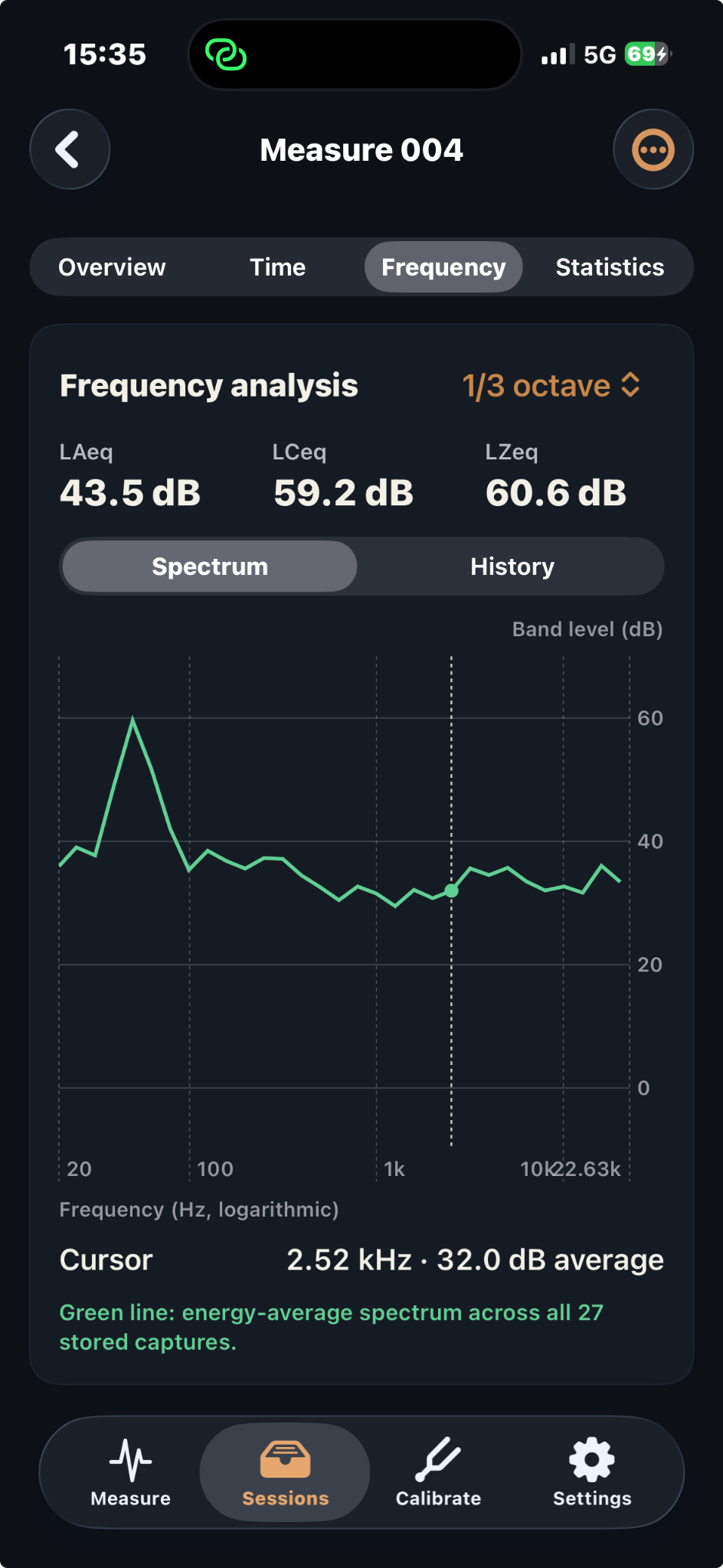
The saved analysis views are where the app stops being just a meter and becomes a reference tool. Time history, event markers and spectrum snapshots can all be revisited after the live measurement has ended.
Statistics
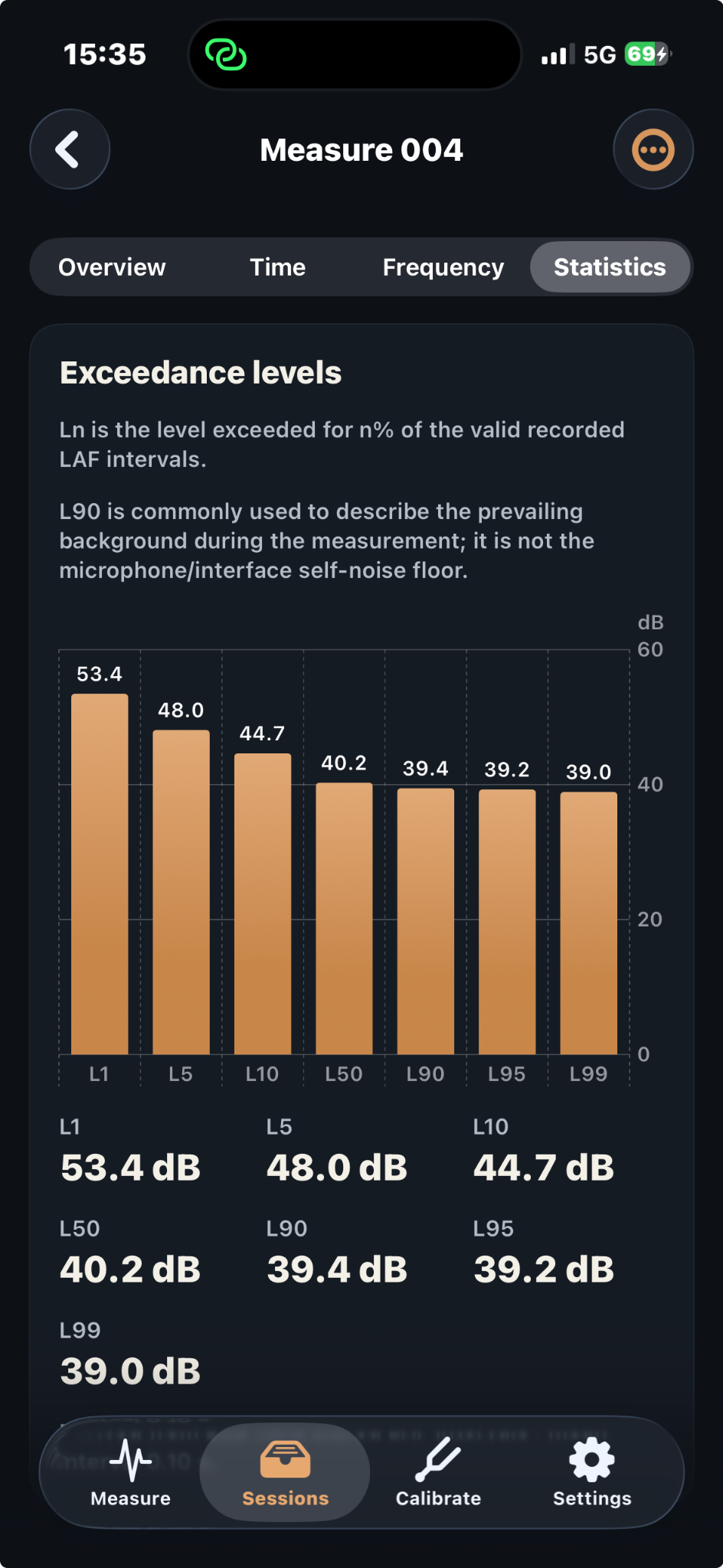
The Statistics view makes exceedance levels visible rather than hiding them in a report footnote. That matters for environmental context, background characterisation and any workflow that relies on percentile descriptors.
Core differentiators
Instead of pretending to be a certified instrument by slogan, SPL Reference shows the calibration path, records the evidence, and makes limitations inspectable.
Explainable classifications such as Reference, High, Moderate, Limited and Invalid reveal why a result should—or should not—be trusted.
Create reusable input-path profiles binding microphone identity, interface, channel, gain, sample rate and supporting calibration metadata.
Study 1/3 octave, 1/1 octave and FFT-oriented behaviour rather than relying on a single broadband number.
Evaluate NIOSH, OSHA PEL, OSHA Action Level or custom models using measured and projected dose workflows.
Create human-readable reporting and machine-readable evidence packages including PDF, JSON, CSV, charts and manifest files.
No account, no tracking SDKs and no forced cloud workflow. Measurements remain local by default and sharing is user initiated.
Professional reporting
A completed measurement can be exported as a structured package rather than being reduced to a screenshot.
Configuration, hardware path, calibration, charts, statistics and integrity findings remain attached to the measurement.
Export the client-ready PDF together with structured evidence files that can be archived, inspected or recalculated later.
Move beyond screenshots and ambiguous claims by sharing a report package that explains what was measured and under which conditions.
Free versus Pro
| Feature | Free | Pro |
|---|---|---|
| Live SPL measurement | ✓ | ✓ |
| Saved measurements | Limited | Unlimited |
| Projects | 1 | Unlimited |
| External microphone and interface profiles | — | ✓ |
| Acoustic calibration and calibration history | — | ✓ |
| Time, Frequency and Statistics saved analysis | — | ✓ |
| Occupational-noise evaluation | — | ✓ |
| Notes, photographs and location evidence | — | ✓ |
| Professional PDF reports | — | ✓ |
| CSV, JSON, charts and manifest exports | — | ✓ |
FAQ
DSR SPL Reference for iPhone
Start with the free evaluation, then unlock Professional for calibration, advanced analysis, occupational-noise workflows, projects, evidence capture and professional reporting—all as a lifetime one-time purchase.
Measurement results depend on the microphone, interface, calibration, placement, device configuration and measurement conditions. DSR SPL Reference applies professional measurement principles and documents measurement integrity, but does not by itself claim instrument certification, standards conformity or legal compliance.